- Home
- Dell PowerEdge R860 Rack Server
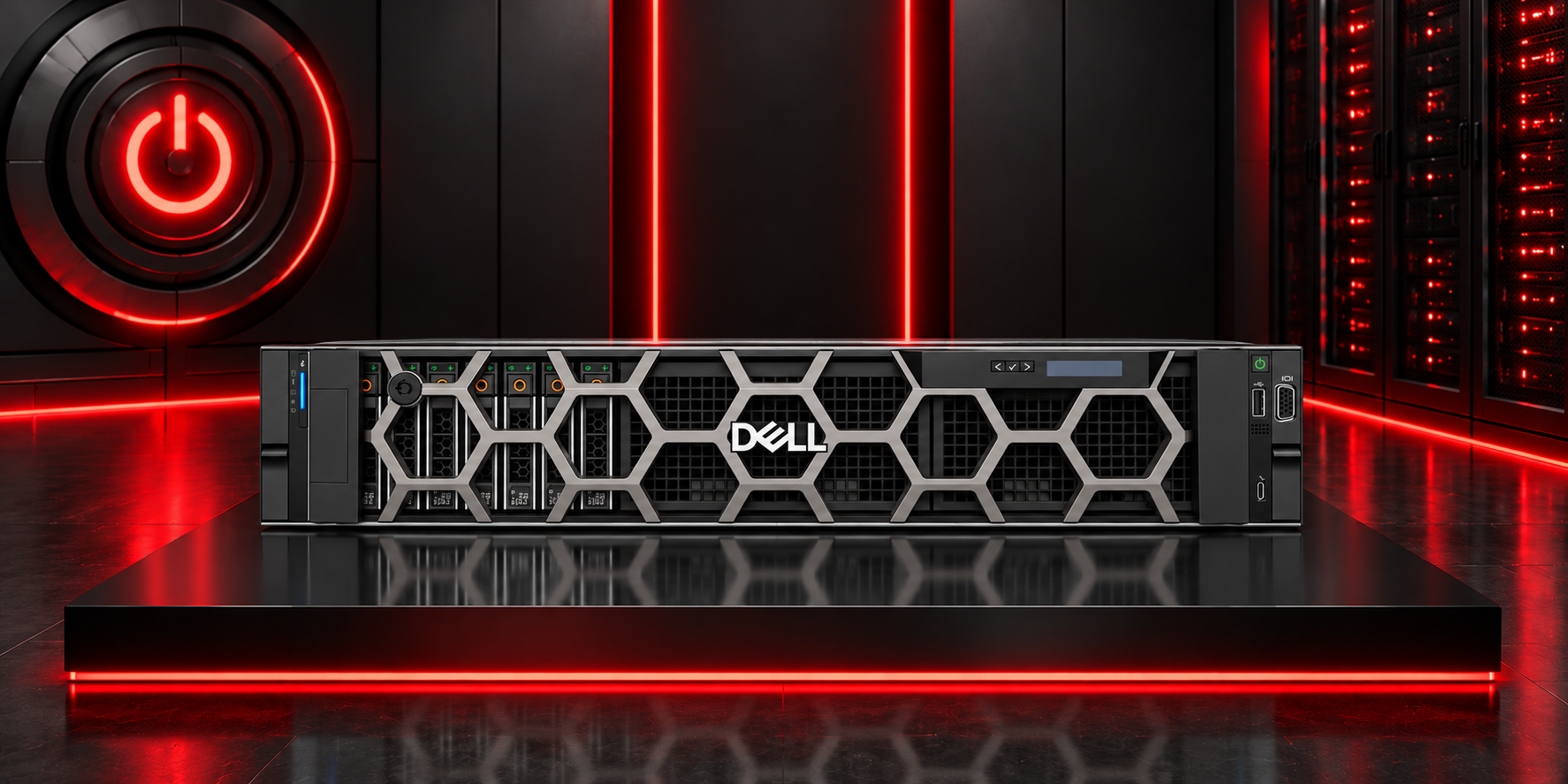
The Dell PowerEdge R860 Rack Server is a high-density 2U, four-socket server designed to power business-critical workloads and support data-driven initiatives. It combines extensive processing capacity, scalable DDR5 memory, flexible storage, advanced management technologies, and enterprise-grade security within a compact rack platform.
Processor
The Dell PowerEdge R860 supports:
- Up to four 4th Generation Intel® Xeon® Scalable processors.
- Up to 60 cores per processor.
- Optional Intel® QuickAssist Technology.
Memory
The PowerEdge R860 provides extensive DDR5 memory scalability for demanding enterprise environments.
Memory Slots
- 64 DDR5 DIMM slots.
Memory Type
- RDIMM
Maximum Memory Capacity
- Up to 16 TB.
Memory Speed
- Up to 4800 MT/s.
The system supports registered ECC DDR5 DIMMs only.
Storage Controllers
The Dell PowerEdge R860 supports multiple internal and external storage controller options.
Internal Controllers
Available internal controllers include:
- PERC H965i
- PERC H755
- PERC H355
- HBA355i
External Controller
- PERC H965e
Internal Boot
Internal boot options include:
- Boot Optimized Storage Subsystem (BOSS-N1)
- Hardware RAID
- 2 x M.2 NVMe SSDs
- USB
External HBA
- HBA355e non-RAID external HBA
Software RAID
- S160
Drive Bays and Storage
The PowerEdge R860 supports several front and rear storage configurations.
Front Bays
Available front-bay configurations include:
- Up to 8 x 2.5-inch SAS/SATA HDD or SSD drives with a maximum capacity of 122.88 TB.
- Up to 8 x EDSFF E3.S Gen5 NVMe SSD drives with a maximum capacity of 61.44 TB.
- Up to 16 x 2.5-inch SAS/SATA/NVMe HDD or SSD drives with a maximum capacity of 245.76 TB.
- Up to 24 x 2.5-inch SAS/SATA/NVMe HDD or SSD drives with a maximum capacity of 368.34 TB.
- Up to 16 x 2.5-inch SAS/SATA HDD or SSD drives combined with 8 x 2.5-inch NVMe SSD drives, with a maximum capacity of 368.34 TB.
Rear Bays
The rear storage configuration supports:
- Up to 2 x 2.5-inch SAS/SATA HDD or SSD drives with a maximum capacity of 30.72 TB.
Power Supplies
The Dell PowerEdge R860 supports several hot-swappable redundant power supply configurations.
Available options include:
- 1100 W Titanium, 100–240 VAC or 240 HVDC
- 1400 W Platinum, 100–240 VAC or 240 HVDC
- 1800 W Titanium, 200–240 VAC or 240 HVDC
- 2400 W Platinum, 100–240 VAC or 240 HVDC
- 2800 W Titanium, 200–240 VAC or 240 HVDC
Cooling Options
The PowerEdge R860 supports:
- Air cooling.
- Optional Direct Liquid Cooling (DLC).
Direct Liquid Cooling is a rack-level solution that requires rack manifolds and a Cooling Distribution Unit (CDU) to operate.
Fans
The server supports:
- Standard (STD) fans.
- Up to 6 sets of hot-plug fans.
Dimensions
The Dell PowerEdge R860 dimensions are:
- Height: 86.8 mm (3.41 inches)
- Width: 482 mm (18.97 inches)
- Depth with bezel: 883.2 mm (34.77 inches)
- Depth without bezel: 869.2 mm (34.22 inches)
Form Factor
The Dell PowerEdge R860 is designed as a:
- 2U Rack Server
Embedded Management
The PowerEdge R860 provides several embedded and at-the-server management capabilities, including:
- iDRAC9
- iDRAC Direct
- iDRAC RESTful API with Redfish
- iDRAC Service Module
- Quick Sync 2 wireless module
Bezel
Available bezel options include:
- Optional LCD bezel
- Security bezel
OpenManage Software
The Dell PowerEdge R860 supports several Dell OpenManage solutions, including:
- CloudIQ for PowerEdge Plugin
- OpenManage Enterprise
- OpenManage Enterprise Integration for VMware vCenter
- OpenManage Integration for Microsoft System Center
- OpenManage Integration with Windows Admin Center
- OpenManage Power Manager Plugin
- OpenManage Service Plugin
- OpenManage Update Manager Plugin
Mobile Management
The server supports:
- OpenManage Mobile
OpenManage Integrations
The PowerEdge R860 supports integration with several enterprise management platforms, including:
- BMC Truesight
- Microsoft System Center
- OpenManage Integration with ServiceNow
- Red Hat Ansible Modules
- Terraform Providers
- VMware vCenter
- VMware vRealize Operations Manager
Security
The Dell PowerEdge R860 includes multiple integrated security capabilities designed to protect system hardware, firmware, and stored data.
Security features include:
- Cryptographically signed firmware
- Data at Rest Encryption using self-encrypting drives with local or external key management
- Secure Boot
- Secured Component Verification for hardware integrity checking
- Secure Erase
- Silicon Root of Trust
- System Lockdown with iDRAC9 Enterprise or Datacenter
- TPM 2.0 FIPS
- CC-TCG certification
- TPM 2.0 China NationZ
Embedded Network Interface
The PowerEdge R860 supports:
- Optional 2 x 1 GbE LOM card.
Network Options
The server also supports:
- Optional OCP 3.0 card.
The system allows a LOM card, an OCP card, or both to be installed depending on the selected configuration.
GPU Options
GPU support is:
- N/A
Ports
Front Ports
The front panel includes:
- 1 x iDRAC Direct Micro-AB USB port
- 1 x USB 2.0 port
- 1 x VGA port
Rear Ports
The rear panel includes:
- 1 x dedicated iDRAC Ethernet port
- 1 x USB 3.0 port
- 1 x USB 2.0 port
- 1 x optional Serial port
- 1 x optional VGA port for Direct Liquid Cooling configurations
Internal Ports
The server supports:
- 1 x optional USB 3.0 port
PCIe Expansion
The Dell PowerEdge R860 supports up to eight PCIe expansion slots.
Available slot configurations include:
- Slot 1: 1 x16 Gen5 or 1 x8 Gen4, full height, half length
- Slot 2: 1 x16 Gen5 or 1 x8 Gen4, full height, half length
- Slot 3: 1 x16 Gen5, low profile, half length
- Slot 4: 1 x16 Gen5, full height, half length
- Slot 5: 1 x16 Gen5, full height, half length
- Slot 6: 1 x16 Gen5, low profile, half length
- Slot 7: 1 x16 Gen5 or 1 x8 Gen4, full height, half length
- Slot 8: 1 x16 Gen5 or 1 x8 Gen4, full height, half length
Operating Systems and Hypervisors
The Dell PowerEdge R860 supports several operating systems and virtualization platforms, including:
- Canonical Ubuntu Server LTS
- Microsoft Windows Server with Hyper-V
- Red Hat Enterprise Linux
- SUSE Linux Enterprise Server
- VMware ESX
Tag Here:
Related Blogs